
- > Grow a Garden Roblox: September 2025 Codes Update – Redeem Free Rewards Now!
- > How to Gift Seeds in Grow a Garden Roblox – Complete Guide
- > How to Get a Raccoon in Grow a Garden Roblox – Complete Guide
- > How to Get Honey in Grow a Garden Roblox – Complete Guide with Pollinated Plants, Bee Pets, and the Traveling Merchant
- > Best Pet Combos in Grow a Garden Roblox
- > Grow a Garden Roblox – Complete Vegetable Plant List for the Beanstalk Event (August 2025)
How to Get the Green Bean Avatar in Grow a Garden Roblox: Full Guide
(Join our Grow a Garden Pet Giveaway on Discord)
If you’re a fan of Grow a Garden Roblox, you’ve probably heard about the Green Bean avatar, one of the most sought-after outfits in the game right now. This free avatar isn’t just a cosmetic change—it’s a badge of participation in special in-game events, giving your character a fun, unique look while you farm, hatch eggs, or complete quests.
In this guide, we’ll show you exactly how to get the Green Bean avatar, tips for equipping it, and special rewards tied to this outfit.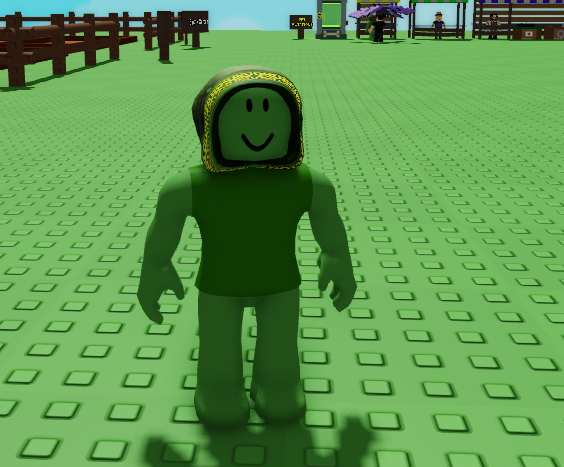
What is the Green Bean Avatar?
The Green Bean avatar is a special outfit in Grow a Garden Roblox that includes:
-
Green skin tone
-
Roundy head shape
-
Green t-shirt
-
Medieval Hood of Mystery (free item)
It’s part of the Team Green Bean event and is free for all players who follow the correct steps.
How to Get the Green Bean Avatar
Here’s the step-by-step process:
-
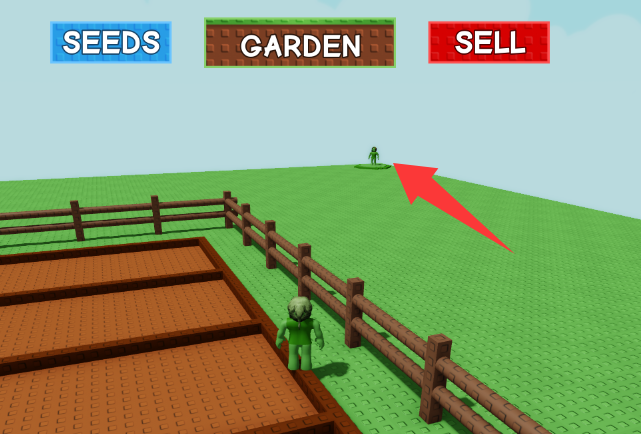
Find Elder Bean NPC
-
Head to the top-left corner of the map, near the Seed Shop and Sell Shop.
-
Look for Elder Bean, who is the key NPC for this event.
-
-
Interact with Elder Bean
-
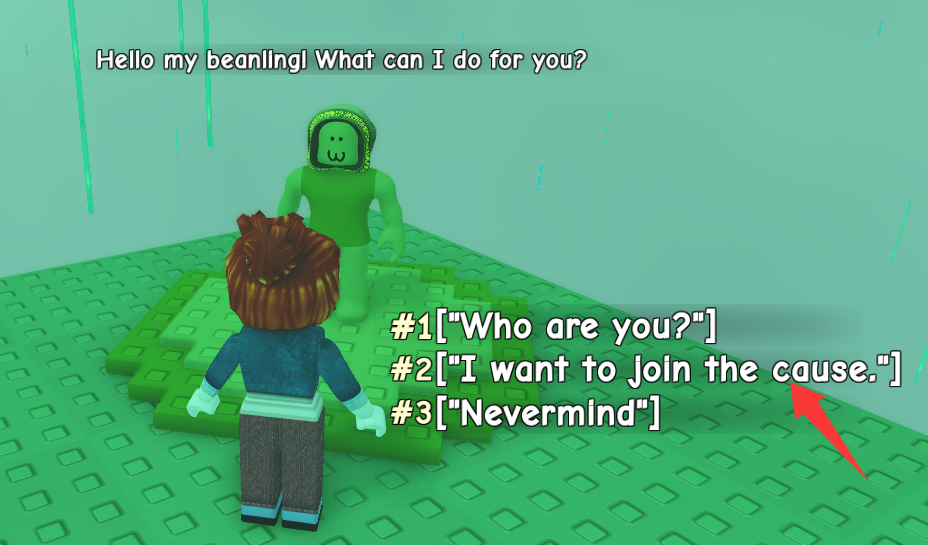
Click on Elder Bean to start a conversation.
-
The NPC will greet you with: “Hello my beanling, what can I do for you?”
-
-
Select the Correct Dialogue Option
-
Choose “I want to join the cause”.
-
This will prompt a pop-up offering the Green Bean outfit.
-
-
Equip the Outfit
-
Confirm your selection to equip the Green Bean avatar.
-
Your Roblox character will now sport the full outfit, including the Medieval Hood of Mystery.
-
Tips & Troubleshooting
-
Avatar Body Compatibility
-
The Green Bean outfit works best with the Roblox Boy body.
-
If you’re using the Roblox Woman or Girl body, switch to the Boy body to equip the outfit successfully.
-
-
Save Your Current Avatar
-
Before equipping the Green Bean outfit, save your existing avatar:
-
Go to the Avatar tab.
-
Click “Creations” → “Create New Character”.
-
Name your outfit and save it.
-
-
This way, you can switch back anytime.
-
-
Re-equipping Your Original Avatar
-
After the event, select your saved avatar from Creations to return to your previous look.
-
Special Event Rewards
Participating in the Green Bean outfit event may also unlock exclusive rewards, such as:
-
Special pets (You could choose to buy rare pets from trusted sites like SSEGold)
-
Rare seeds
-
Cosmetic items
Past events indicate that these rewards are typically distributed during admin events, so keep an eye on announcements for the next giveaway.
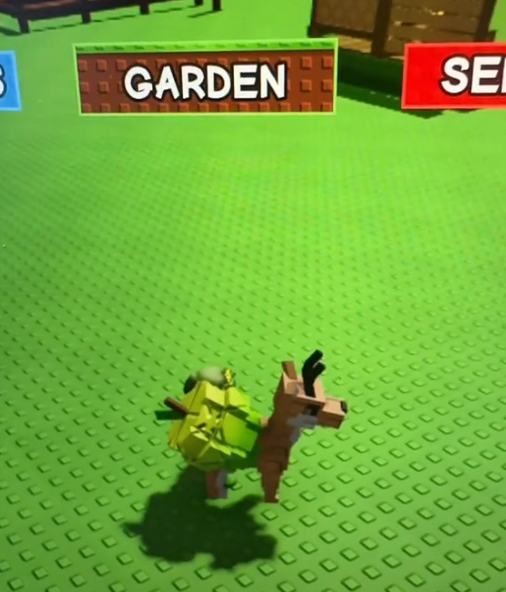
According to Jandel's Tiktok, here're the special pets reward revealed: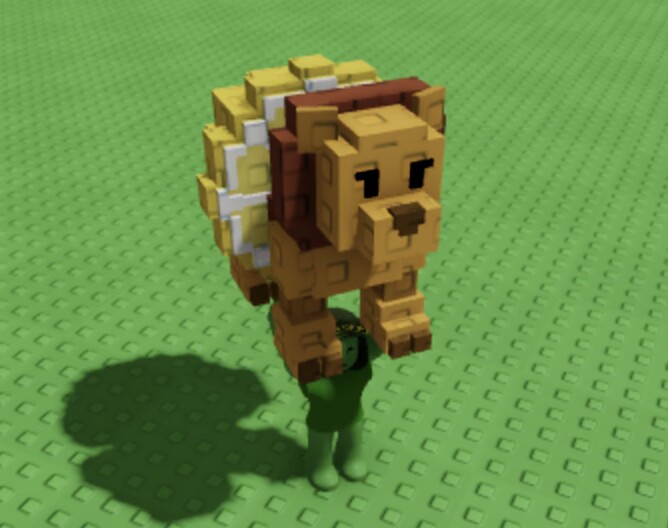
Pro Tips
-
Join Discord Communities: Many players share event tips, spawn locations, and giveaways in Discord groups.
-
Check Event Timing: Some Green Bean rewards are time-limited, so log in early.
-
Combine with Other Events: Equip the Green Bean outfit during farming or mutation events for fun screenshots and recognition.

Final Thoughts
The Green Bean avatar in Grow a Garden Roblox is a fun, free way to customize your character while participating in special in-game events. By following our guide, you can join Team Green Bean, unlock exclusive rewards, and stand out on your farm.
Don’t miss your chance—grab your Green Bean avatar today and show off your style!
Table of contents
Buy Grow A Garden Products
Recommended Article